
I was trying to download some evil hacker malware from the internet with Google Chrome, and it dutifully protected my computer from harm:

I always forget where this setting is because I seldom need to toggle it. Searching for how to turn this off gave a few results that showed how to do this, but you had to scroll through a half mile of ads to see how. This made me sad.
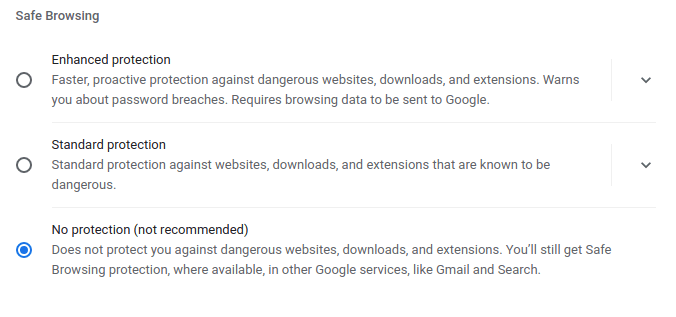
Toggling Safe Browsing is easy:
- Go to the Chrome Security Settings: chrome://settings/security
- Select appropriate radio button:
 DMFR SECURITY